mapplight.com / Guides / Stage backdrop projection
Stage backdrop projection for school plays and theatre
Updated 6 November 2026 · 5 minute read
A projector can replace painted scenery: a forest in act one, a starry sky in act two, a palace for the finale, all on the same plain backdrop. With projection mapping you go a step further and light the backdrop, the set flats and the stage front separately, so the picture fits the set instead of spilling over it. Here is how to do it on a school or community budget.
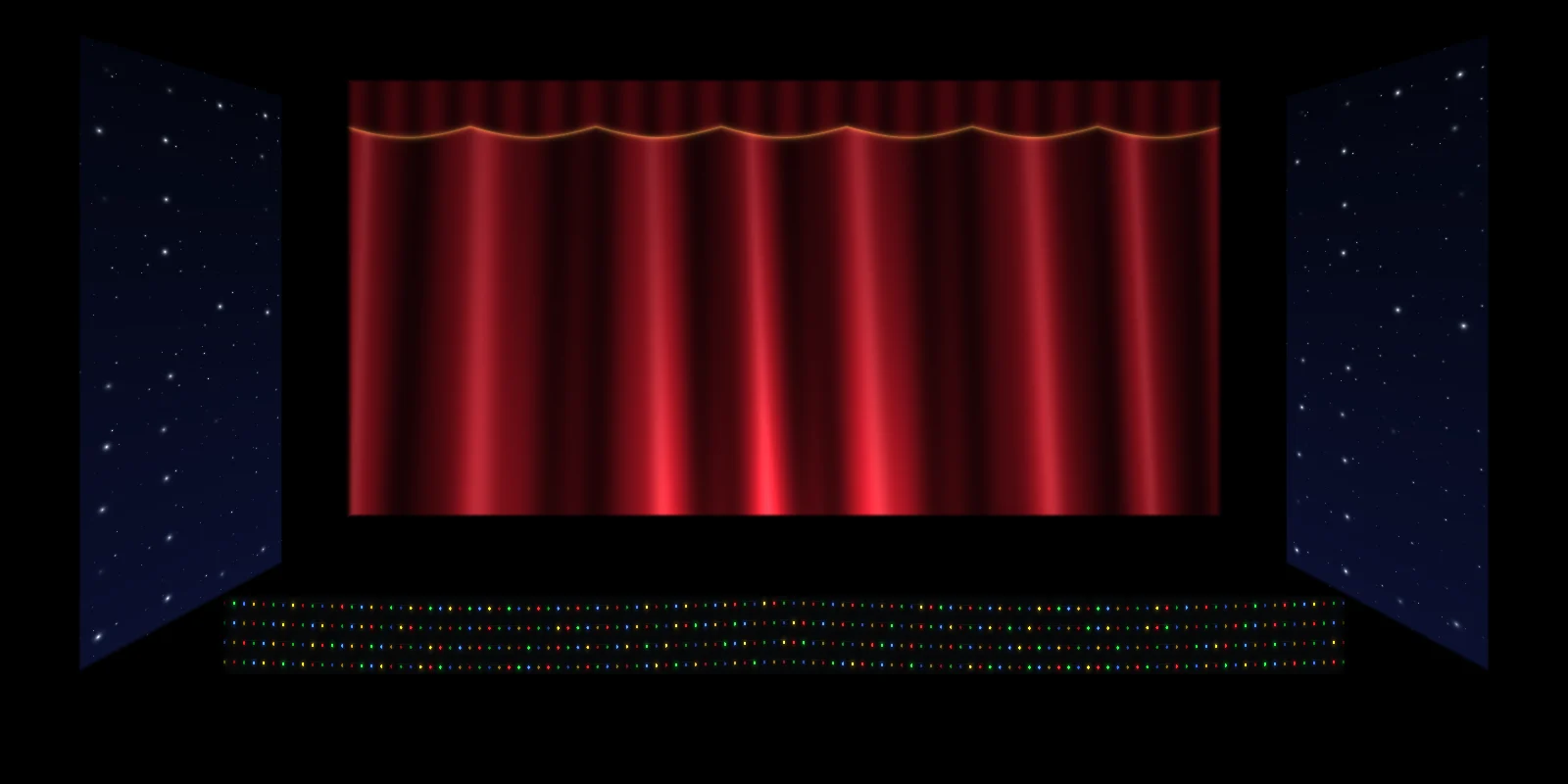
1. The projection surface
- A white or light grey cyclorama or backdrop is best. A painted flat in matte white or light grey works just as well.
- A plain wall at the back of a hall is fine, if it is light and matte. Gloss paint shows a hot spot.
- Set pieces: flats, boxes, columns and steps can each be a separate mapped surface. A white box becomes a fireplace, a bookshelf or a glowing cave entrance.
- Avoid black drapes as projection surfaces. They absorb nearly all the light; use them to frame the picture instead.
2. Choosing the projector
A dark auditorium is forgiving, but stage lighting competes with the projector. Rough targets for a backdrop about 6 m (20 ft) wide:
| Situation | Rough brightness |
|---|---|
| Classroom or small hall, house lights down, little stage light | 2,000–3,000 ANSI lumens |
| School hall with front stage lighting | 3,500–5,000 ANSI lumens |
| Theatre with full stage wash | 5,000+ ANSI lumens, or keep stage light off the backdrop |
Many schools already own a classroom projector of 3,000 lumens or more. Try that first. The projector buying guide explains throw ratio, laser versus lamp, and what to rent for a single show.
3. Front or rear projection
| Front projection | Rear projection | |
|---|---|---|
| Where | From the audience side: a balcony, a lighting bar or the back of the hall | From behind a translucent screen or scrim |
| Shadows | Actors standing in the beam cast shadows; keep them downstage or project from high up | No actor shadows on the screen |
| Space | Uses the hall's depth | Needs space behind the screen (throw distance) |
| Surfaces | Can hit the backdrop, flats and the stage front at once | Only the screen |
For mapping several set pieces, front projection from high up and as central as possible is usually the answer. A short-throw projector at the front edge of the stage, aimed up at the backdrop, is another way to keep actors out of the beam.
4. Mapping the set with mapplight.com
- Add the Stage template. It creates a backdrop, two angled wings and the stage front. Delete what you don't have and add quads, circles or triangles for set pieces.
- Connect the projector to the laptop as an extended display. Click Projector, move the window to the projector screen and make it full screen.
- Turn off the projector's keystone correction, set its zoom so the picture covers the whole set, and focus on the backdrop.
- Turn on the calibration grid and drag every corner onto the edges of the real backdrop and flats. Welded corners move together, so shared edges stay seamless.
- Pick a visual or your own image for each surface. Import your scenery as JPG, PNG, MP4 or WebM and drop it on the backdrop.
- Save one look per scene: "Act 1 forest", "Act 1 night", "Act 2 palace". Each look remembers what every surface shows. Note: the free plan includes 3 looks per project; Pro has unlimited looks.
- Rehearse the cues with the lighting operator during the tech rehearsal.
5. Running the cues
- Click a look, or press its number key (1–9), to crossfade to it. Set the crossfade slider (0–10 seconds) to match the scene change: a slow fade for dawn, a snap for a lightning strike.
- Blackout (the B key) cuts the projector to black instantly for scene changes and bows.
- Master dimmer keeps the backdrop from overpowering the actors.
- Number your looks to match the script and write the cue numbers in the prompt book.
- Music numbers: turn on music sync and visuals pulse with the band or the backing track through the laptop microphone or straight from the tab playing the track, or tap the tempo.
Keep the laptop awake. Plug it in, turn off sleep and screen savers, and switch off notifications before the show.
6. Living with stage lighting
- Light the actors from the front and sides at a steep angle so the light lands on the floor, not on the backdrop.
- Keep the backdrop lights (cyc lights) off or very low whenever a projected scene is up.
- Dark-background visuals look like scenery; bright full-frame images look like a slideshow.
- Check the view from the back row and the sides, not just from the laptop.
7. Scenery ideas
| Scene | Built-in visual |
|---|---|
| Before the show, interval | Stage curtain on the backdrop |
| Night, outdoors, space | Starry night, Drifting sky, Aurora |
| Under the sea | Underwater, Pool caustics, Jellyfish |
| Storm, magic, a spell | Lightning storm, Electric arcs, Haze & light |
| Finale, concert numbers | Moving heads, LED bars, Light burst, Fireworks |
| Winter, Christmas show | Snowfall, Snowy village, String lights |
For specific locations (a castle, a classroom, a city street), use your own artwork or licensed images and put them on the backdrop as media.
FAQ
Can I use the school's classroom projector?
Usually yes. Any projector with HDMI works. A 3,000 lumen classroom projector is enough for a backdrop in a darkened hall if the stage lights are kept off the backdrop.
How do I stop actors casting shadows on the backdrop?
Project from high up, keep actors a few metres in front of the backdrop, use a short-throw projector at the stage edge, or use rear projection through a translucent screen.
Can I change scenes on cue during the show?
Yes. Save each scene as a look and click it to crossfade. Blackout cuts to black instantly for scene changes.
Does it work with DMX or a lighting desk?
Not yet. mapplight.com is operated from the laptop. If the show needs DMX, timecode or several blended projectors, dedicated show software is the better fit; see the software comparison.
Is it free for schools?
The free plan has 108 visuals, the Stage template, projector output, your own images and videos, and 3 looks per project, with no watermark and no time limit. A Season Pass ($9.99 for 90 days, one-time) unlocks unlimited looks for a full production.
Keep reading
Best projector for projection mapping
How to choose a projector for projection mapping: real ANSI lumens for each job, throw ratio and distance, laser vs lamp, inputs, and what to buy at each budget.
Projection mapping for beginners
What projection mapping is, the gear you need, and a first project you can finish in an evening with any projector and a browser. Plain-language guide with no jargon.
Wedding cake projection mapping
Map light onto a wedding cake: which cakes work, the projector and stand you need, how to trace each tier, timing it with the first dance, and what venues ask for.